Pros and cons
Pros
- Unlimited workflows on all plans, including free. You can build as many automations as needed without hitting workflow count limits.
- Internal tasks don’t count toward limits. Filters, routers, formatters, and delays are free. Only actions that send data to external apps consume your monthly task allowance.
- 2,000+ app integrations. Covers most business tools across CRM, email marketing, e-commerce, project management, and payments. Custom API connections fill any gaps.
Cons
- Monthly pricing is deliberately hidden. Month-to-month billing exists but is buried in the FAQ while the pricing page only shows annual plans.
- Limited workflow branching. Workflows are primarily linear. Complex logic requires multiple workflows or duplicated steps across router paths.
- No AI or natural language features. Entirely rules-based. No plain-English commands or AI-driven decision-making.
Key features and ease of use
Pabbly Connect combines visual workflow building with technical flexibility. The platform focuses on straightforward automation. Non-technical users can build linear workflows, while technical users can extend them through the API and code modules. The platform’s builder, internal utilities, and custom integration options make it adaptable for simple tasks or multi-step workflows.
Visual workflow builder
Pabbly Connect’s workflow builder arranges steps from top to bottom in a linear sequence. You pick a trigger event, then add actions that run in order. Each step shows configuration fields where you can map data from previous steps using dropdown menus.
The builder lets you test steps with real data before going live. The interface is functional and straightforward, though it lacks the visual polish of newer platforms.
Advanced workflow tools
Filters and routers handle conditional logic. Filters let you set conditions that decide whether a workflow continues, while routers create different paths based on multiple conditions and execute whichever matches first. Router paths must end the workflow. You cannot add steps after a router block.
For timing control, the scheduler runs workflows at specific times or intervals. Delays work differently by pausing active workflows for set periods, useful for spacing out actions or creating follow-up sequences.
The email parser extracts data from incoming emails. Pabbly provides an email address that reads messages and pulls out information like names or order numbers, helpful when services only send email notifications.
Internal utilities like formatters handle text cleanup, date conversions, and basic math without counting toward task limits. The iterator processes lists by running the same action on each item.
Custom integrations and coding
The API module connects to any REST API by configuring request methods, endpoints, headers, and authentication. The Code module runs custom JavaScript or Python scripts for advanced data processing or logic.
These features require technical knowledge. If a prebuilt connector doesn’t exist, users with API or coding experience can build custom connections.
Ease of use
The interface is simple and works well for linear workflows. Common tasks like mapping fields or testing steps are easy to follow. Embedded video tutorials and tooltips guide users through setup.
Users familiar with trigger-action concepts can build simple workflows quickly. More complex scenarios involving routers, custom code, or managing many workflows take longer to master.
Integrations
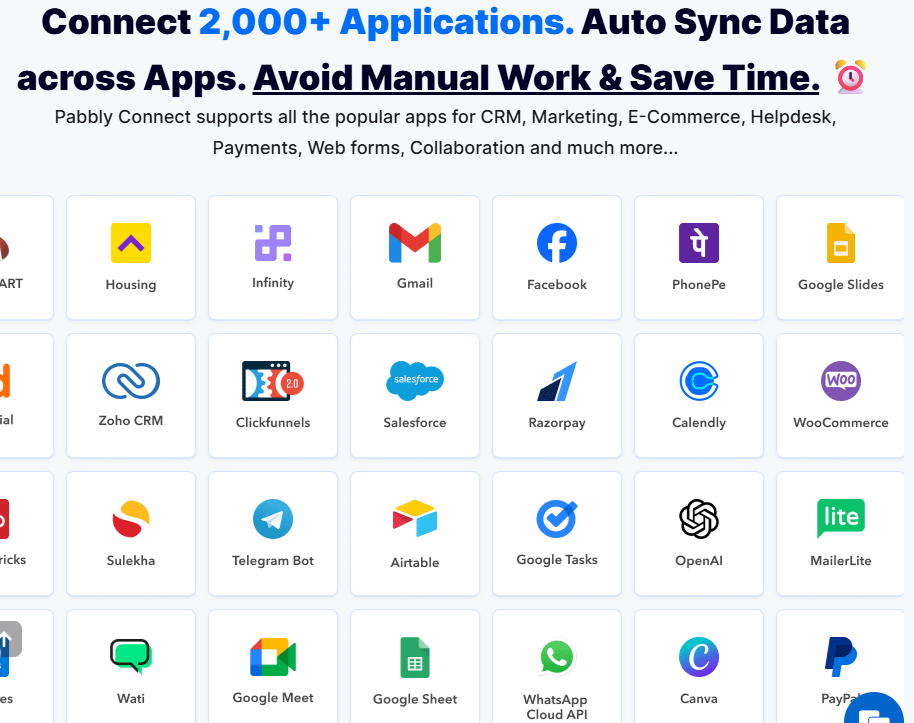
Pabbly Connect supports 2,000+ app integrations, letting you move data between the tools you already use. The library covers business categories from CRM and email marketing to e-commerce, payments, and project management. If an app isn’t supported natively, the API module connects to any REST API.
Common integrations include
- Productivity. Google Workspace, Slack, Microsoft Teams
- CRM and sales. Salesforce, HubSpot, Pipedrive, Zoho CRM
- Marketing. Mailchimp, ActiveCampaign, SendinBlue
- E-commerce. Shopify, WooCommerce, BigCommerce
- Payments. Stripe, PayPal, Razorpay
- Project management. Asana, Trello, Monday.com
- Forms. Google Forms, Typeform, JotForm
Depth and reliability
Each integration includes triggers and actions that let workflows start from in-app events or send data to external tools. Triggers can be instant webhooks or polling-based, depending on what the app’s API supports. Pabbly doesn’t charge for polling operations, so frequent checks don’t consume your task limits.
Custom flexibility
For apps without native support, the API module connects to any REST API. Users can configure requests, authentication, and endpoints to integrate custom or internal systems. The webhook trigger accepts incoming HTTP requests from any service, letting external systems initiate workflows even without a prebuilt connector.
Our featured partners



Pabbly Connect pricing tiers
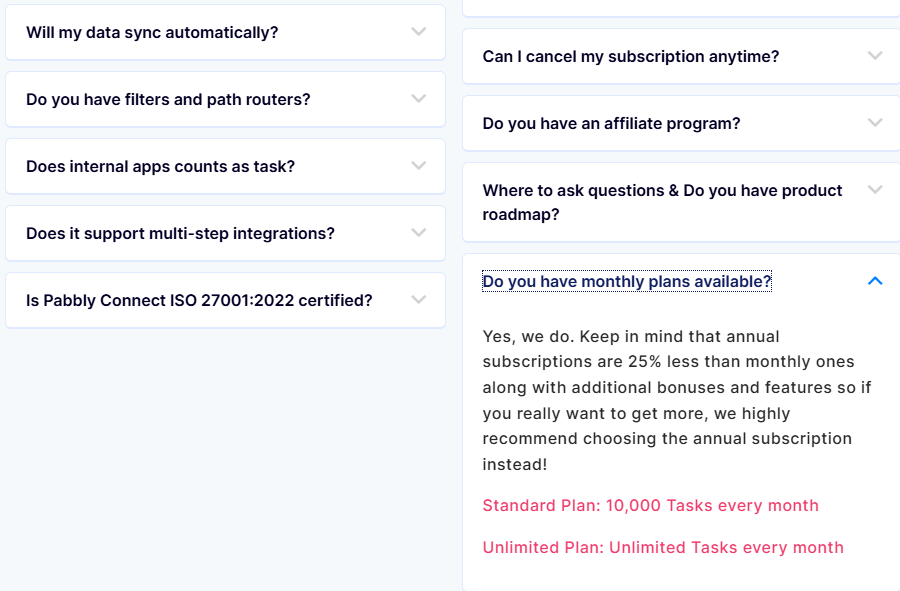
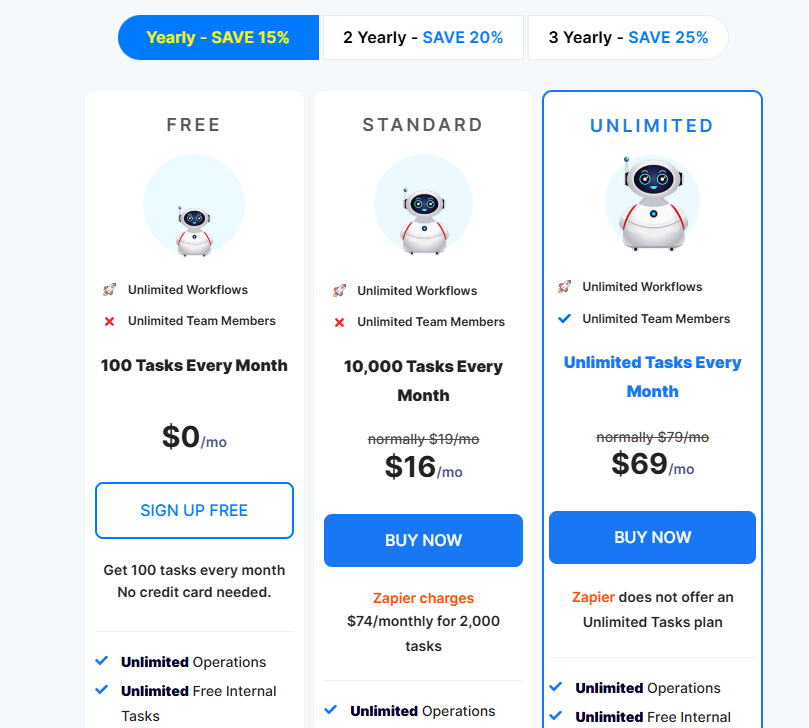
Pabbly Connect offers annual subscriptions with discounts for longer commitments. Month-to-month billing starts at $19 but is buried in the FAQ, while the main pricing page only promotes annual plans starting at $16. All plans include unlimited workflows.
| Plan | 1-year (annual) | 2-year | 3-year | Tasks/month | Best for |
|---|---|---|---|---|---|
| Free | $0 | $0 | $0 | 100 | Testing workflows or very light use |
| Standard | $16 | $15 | $14 | 10,000 | Small businesses with basic automation needs |
| Unlimited | $69 | $65 | $59 | Unlimited tasks, unlimited team members | High-volume automation and growing teams |
How Pricing works. Only action steps count as tasks. Triggers and internal operations like filters, routers, formatters, and delays don’t consume your monthly allotment. Tasks reset monthly and don’t roll over. If you reach your limit, workflows pause until the next billing cycle or you upgrade.
Pabbly claims annual subscribers receive exclusive bonuses and features, though their official pricing page doesn’t specify what these bonuses are.
Compliance and security
Pabbly Connect follows standard security practices and maintains third-party certifications that apply to its broader platform. The platform encrypts data and follows industry standards to protect workflow information and credentials.
Security features
- Data encryption. All data transmitted to and from Pabbly uses SSL/TLS encryption with an A+ rating from Qualys SSL Labs. Data at rest is encrypted using AES standards on AWS servers.
- Two-factor authentication. Accounts support 2FA through authenticator apps for added login security.
- Infrastructure security. Pabbly runs on AWS cloud infrastructure with DDoS protection through Cloudflare. Data centers follow AWS security standards.
- Credential storage. Passwords and API keys are encrypted and never stored in plain text.
- Security testing. Regular vulnerability scanning and penetration testing by independent security firms identify and address potential issues.
Compliance and certifications
- SOC 2 Type II. Pabbly maintains SOC 2 Type II compliance, demonstrating controls for security, availability, and confidentiality audited over time.
- ISO 27001:2022. The platform is certified under ISO 27001:2022 standards for information security management systems.
- GDPR considerations. Pabbly can accommodate GDPR requirements for European customers through data processing agreements.
Customer reviews
Pabbly Connect maintains strong ratings across major review platforms as of 2025. On G2, the platform scores 4.4/5 across 20 reviews, while Capterra users rate it 4.5/5 across 84 reviews.
- Value for price. Users consistently highlight the cost savings compared to competitors like Zapier. The combination of affordable pricing and generous task limits makes it attractive for small businesses and startups.
- Internal tasks don’t count toward limits. Users say their task limits stretch further than expected since internal steps do not consume tasks.
- Easy-to-use for basic automations. Most users find the interface straightforward once they get started. The drag-and-drop workflow builder and data mapping system work well for common use cases like connecting Google Sheets, Gmail, CRMs, and forms.
- Extensive learning resources. The platform offers over 15,000 video tutorials on YouTube and within the dashboard. Users praise these step-by-step guides for helping them build workflows without technical knowledge.
Where people see challenges
- Steeper learning curve than expected. While basic automations are straightforward, several reviewers note that complex workflows require more effort to understand. Some describe the interface as less intuitive than Zapier, particularly when troubleshooting issues.
- Limited features for complex scenarios. Users working with advanced branching logic or dynamic workflows mention limitations. The requirement that routers must be the final step restricts some automation designs.
- Support response times vary by plan. Email support operates 6 days a week (10 AM to 6 PM, Sundays off) with 24-hour response targets. Lower-tier users report slower support compared to competitors with live chat, though users report the team is helpful once they respond.
- Some integrations are basic. A few users mention that certain app connections lack advanced features or require workarounds, though Pabbly adds 4-5 new integrations weekly.
Bottom line
Pabbly Connect is a straightforward, low-cost automation platform built for users who want predictable pricing and simple workflows. Internal operations like filters and formatters don’t count toward usage limits, making the platform more affordable than competitors who charge for every step. For freelancers, small businesses, and teams with basic automation needs, the platform provides 2,000+ integrations and straightforward workflow design.
However, Pabbly Connect is not built for complex logic. Router paths must end workflows, limiting advanced branching scenarios, and there are no AI features or natural language setup. Support runs through email rather than live chat. For teams that need sophisticated, multi-path automation or AI-driven workflows, tools like Make or Zapier may be a better fit.
Article sources
Creative Advisor uses primary sources to verify our claims. We thoroughly fact-check editorial content to ensure the information you're reading is up-to-date and accurate.
- "Pabbly Connect". Pabbly Connect. Reviewed on Dec. 5, 2025.
- "2,000+ Pabbly Connect Integrations". Pabbly Connect. Reviewed on Dec. 5, 2025.
- "Pabbly Trust and Security". Pabbly Connect. Reviewed on Dec. 5, 2025.
- "Pabbly". G2. Reviewed on Dec. 5, 2025.
- "Pabbly Connect". Capterra. Reviewed on Dec. 5, 2025.